Share all details about your problem, including any error messages you may have received.
Hi Team, whenever leaver is triggered by scheduler for the users having disconnected application accounts, it is failing with above error. The workflow is looking for the “Modify Provisioning Plan” form to be filled and submitted for the flow to be proceeded.
If the request is triggered by individual user, then a workitem is created and is pending for it to be completed. But if it is a scheduler, then it is failing.
What would be the best way to handle this? Anyone is having this scenario in your implementation?
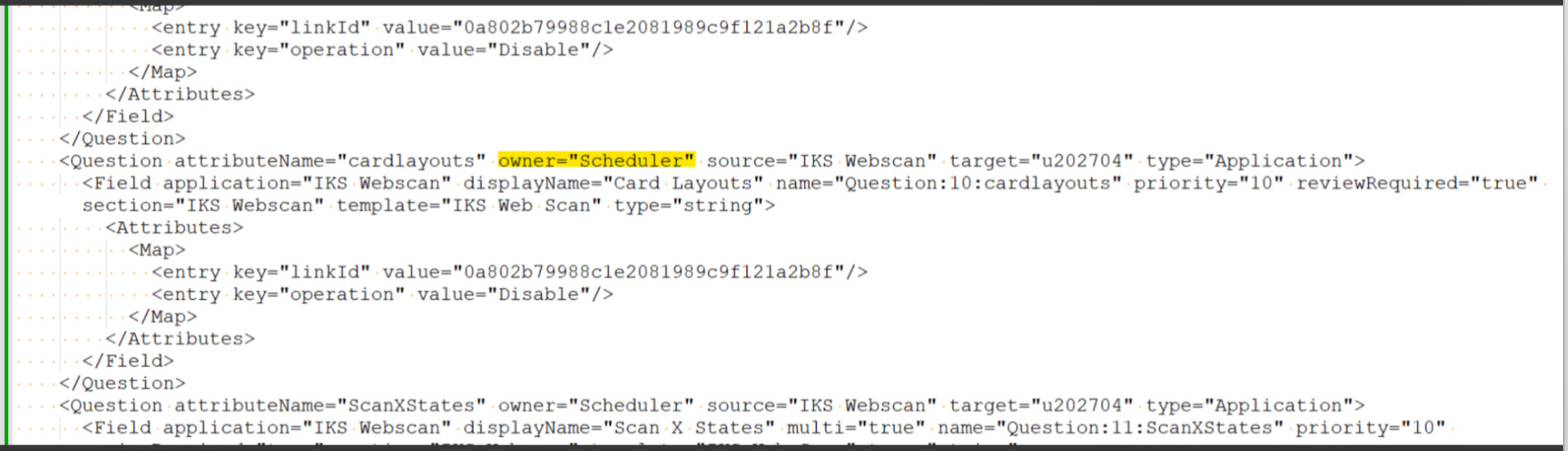
This error occurs when the Leaver is launched by scheduler and the workflow tries to present a provisioning form (e.g., Modify Provisioning Plan) that has fields marked reviewRequired="true". Because the launcher is Scheduler (not a real Identity), IIQ cannot assign the work item and throws “Unknown object: Scheduler”.
Edit the Application → Provisioning Policies form → select the field and unselect the reviewRequired.
Set reviewRequired="false" for fields that currently require a review and provide the default value for the field or calculate the field value using script.
Hi @Arun-Kumar Thank you for the suggestion. As per the requirement of account modify, we need the reviewRequired should be true and we can’t provide default value.
Can do something so that leaver flow will not user Modify Provisioning plan ?
@divaya you can use before provisioning rule to modify the plan. you can change the owner at that moment to user’s manager or someone else for approve. let me know if you got stuck.
That won’t work in Before Prov, because that happens WAY after IIQ looks for missing required values. You will need to do this earlier in the Workflow by changing the “requester” that gets passed into the provisioning plan compiler.
Hi Team, We created plan for Leaver and Enable plan and added static values in all the fields in the form. Also, we set reviewRequired="false" for all the fields that resolved the issue.