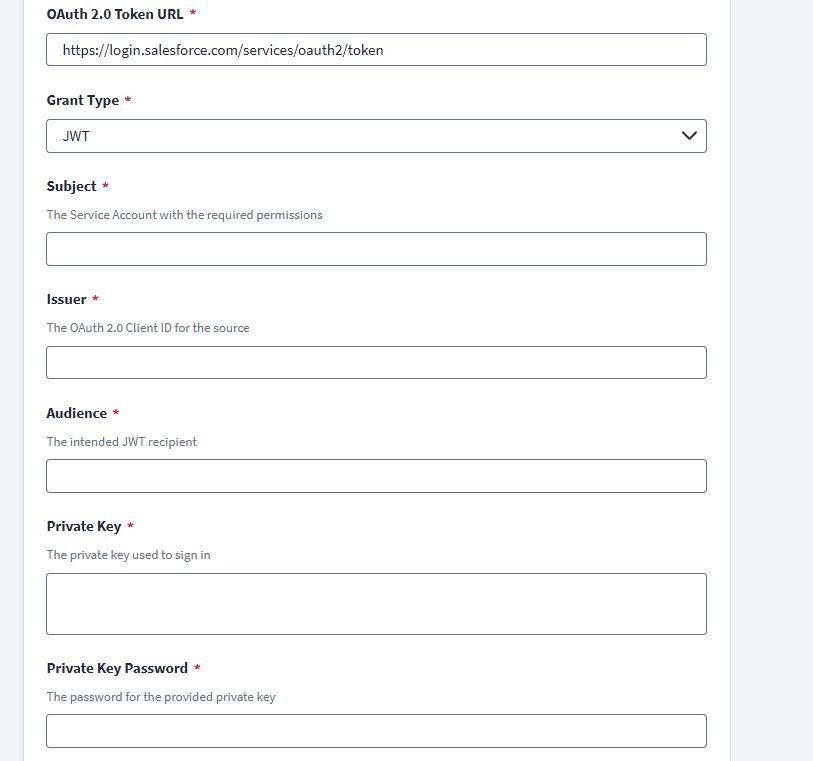
We are planning to onboard salesforce Saas connector. We are using OAuth 2.0 Grant Type: JWT.
As per my understanding below steps details provided by salesforce team.
Enter the Salesforce username in Subject.
Enter the OAuth Client ID for the connected application for which you registered the certificate in Issuer.
Enter the recipient for which the JWT is intended in Audience .
In 2nd step certificate needs to provide from salesforce team. Is my understanding correct? certificate need to provide by salesforce team. Anyone assist how salesforce team create certificate?
link: OAuth 2.0 Grant Type: JWT
I want to be transparent here — I haven’t worked on this directly, but I do understand the public and private key concepts. Based on the attached screenshot, it looks like we need to enter the private key on the SailPoint side. refer this following url for more information. OAuth 2.0 Grant Type: JWT
Correct , if you don’t know how to generate for Salesforce application , they would be able to help out . they would be doing that for their multiple customers .
so, is the final conclusion that Salesforce team would be knowing how to generate this certificate and share the private key, passphrase to configure in SailPoint?
@Srikanth_Bandi We’re unable to confirm that detail regarding your Salesforce team. You may want to reach out to your Salesforce team directly for clarification.