I’m trying to set up a connector to pull in Slack account data for my org. This problem applies to both the Slack SaaS and Slack VA connectors, since they seem to work identically in this regard.
We’ve been using Slack for an extremely long time, so there are a lot of historical disabled accounts in there (about three or four times as many as active accounts). These are all showing up as “disabled” on the accounts listing, which is fine, but it’s still creating a lot of noise (and complicating any efforts to review non-worker accounts on the source).
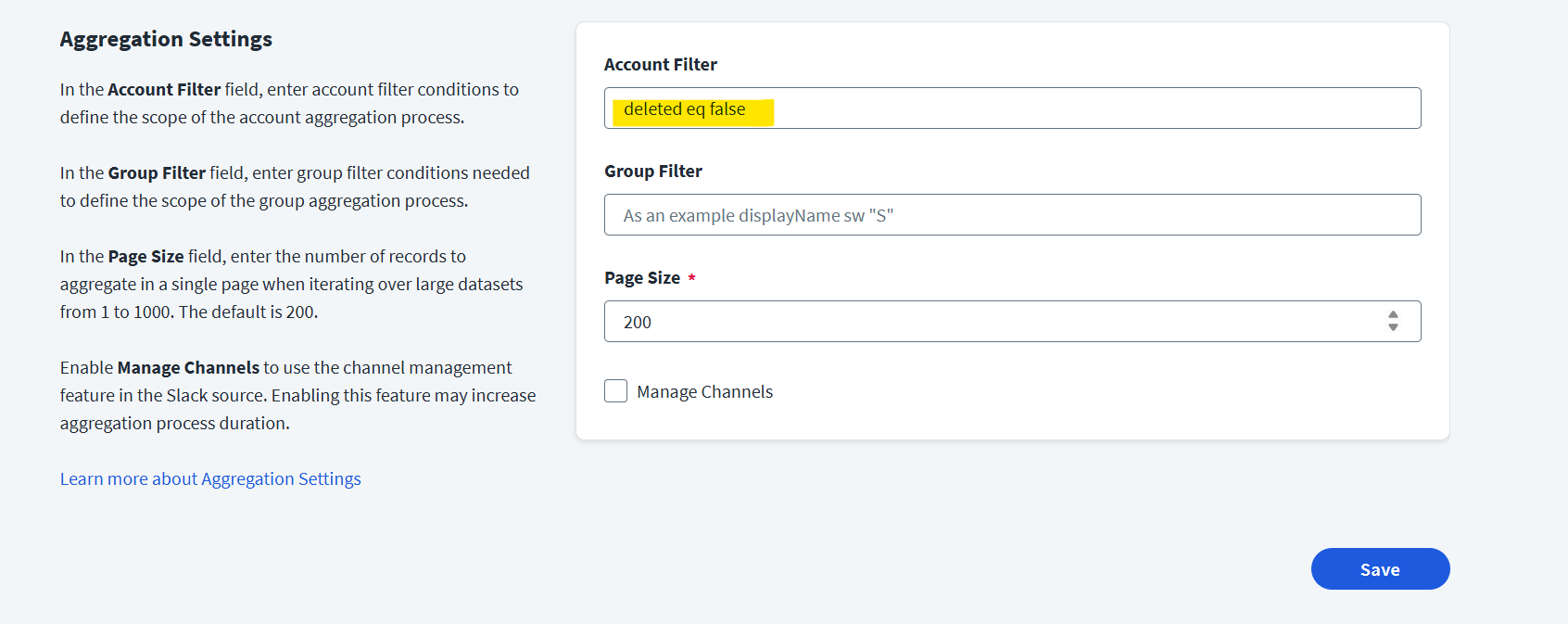
The filter options in the plugin are not useful for this, since they only cover the ability to filter based on name or entitlement values. (Sidenote: I’m not sure why these are even here, I can’t imagine any circumstance where I might want to only load in “accounts that start with the letter s”.)
Is there a way to set the connection to filter disabled accounts using the API, or is this just not something that is possible? Without it the value of the connector is severely diminished.
I haven’t worked directly with the Slack OOTB connector before, but can you try adding the “deleted” attribute to your account schema and run an aggregation to see if this field is populated with data for the accounts in ISC? If it is, then try the previously suggested filter to see if it works now.
Are you seeing Deleted for any of the users that you can see are deleted in Slack? Looking at the API, there is a deleted value in the user.info return:
Oh, one important thing I should restate. As I said in the first post, the accounts are showing up as Enabled or Disabled in slack accurately. However what I want is to be able to have the Disabled accounts not be synced. (I have seen this on some other connectors, but not all of them.)
Hi,
Have you tried filtering using this function via API?
[
{
“op”: “add”,
“path”: “/connectorAttributes/filterString”,
“value”: “( type != \“Employee\” )”
}
]
Reference : IdentityNow Account Filtering during Account Aggregation - Compass
If you can get the attribute value, you should be able to filter