First of all, i am still a beginner with ISC so please explain to me if i am missing something here even the obvious stuff.
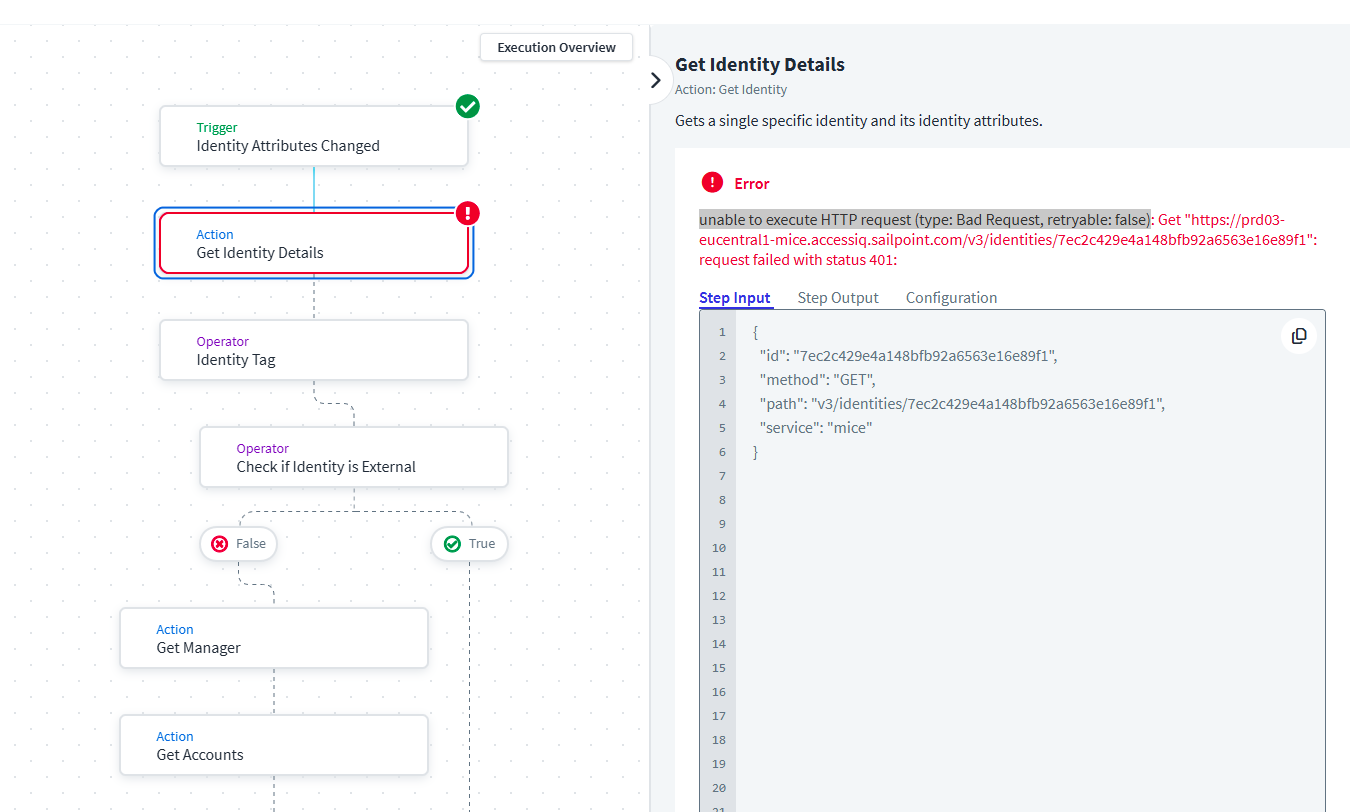
It looks like the API call that is being performed in ‘Get Identity‘ action fails.
This action being a black box i dont think we can play around with it too much? Did anyone else encounter this issue in the past and how was it resolved?
Also, it fails on all the workflows that use that action.
First thing, if you enabled the Workflow first time in your tenant and it take up to 2 hours for it to be fully functional and you may expect an error when building it.
Next, try to recreate the Workflow and run it, sometimes it resolves the issue. I understand it is not the valid solution, but I did experience it in the past.
Since HTTP 401 is unauthorized, please check whether the owner identity of the Workflow exists and active with required user level permission in your tenant.
If above are not working, I would create a support ticket.
Not sure how i can check that in the context of a workflow? To me this seems like ISC is making internal API call to itself to get that identity information?
Could you share a screenshot of ‘Get Identity Details’ configuration page?
This should be $.trigger.identity.id
Could you try downloading the Workflow JSON (script), change the name of the workflow and then recreate a new one by uploading a file? Check it whether the new workflow has the same issue?
Is the issue in the sandbox or in prod or in both tenants?
Do you’ve any other workflows setup that uses this action and if yes are they working fine as expected?
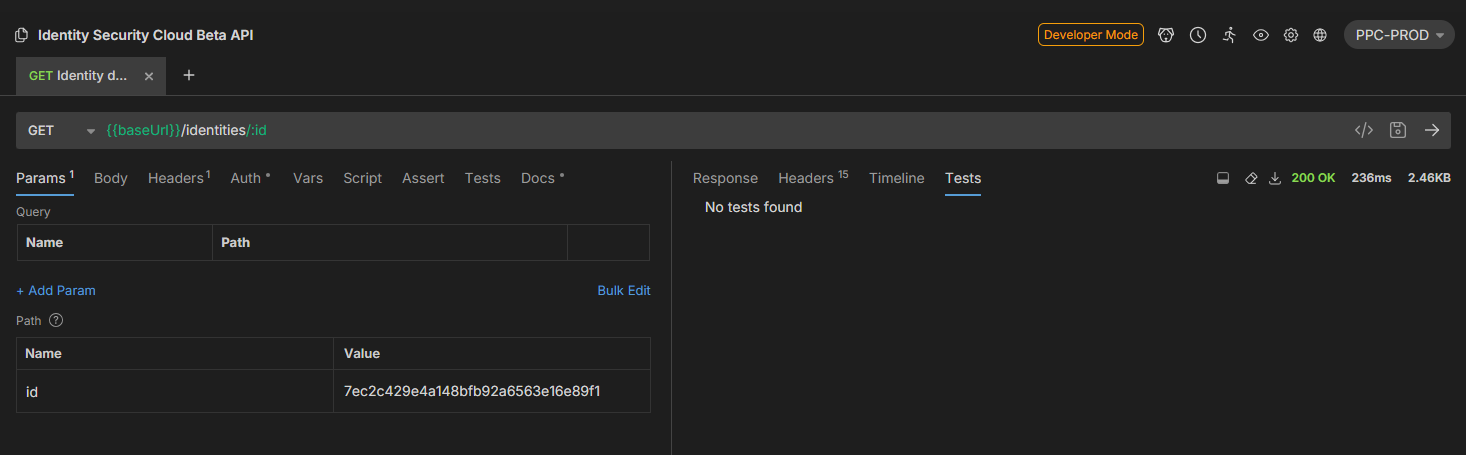
You are correct: /identities is indeed experimental, meaning it’s available in Beta, and in v2024 and v2025 by setting the ‘X-SailPoint-Experimental’ header to ‘true’.
Honestly, that error message is super surprising, and indicates exactly what you are saying: that this black box is calling /v3/identities, which supposedly doesn’t exist, but instead of getting a 404 Not Found error or a java error, you are, as @suresh4iam said, getting the 401 Unauthorized, which implies that the endpoint exists, but that the backend service making the call is using bad credentials. I know you can get a 404, because on an earlier execution of a workflow I recently developed, I did. What’s most interesting about this is that it is also calling the “nonexistent” /v3/identities endpoint:
What does the Execution JSON look like? Specifically, the failure? (There are 3 “steps” for the final Step in the Builder view: ActiviityTaskScheduled ActivityTaskStarted, ActivityTaskFailed. This will be followed by a WorkflowExecutionFailed Step. The relevant config is seen in scheduling, and the results in the failure steps:
dont worry about the API version when using an available action from workflows. Workflow action might be using different API gateway which are not available for outside usage. I would say just download this workflow and reupload it and give it a shot.
@alexc
This happened in one of our projects as well.
The root cause is, the person who is owner of this workflow, must have lost his Admin access OR may be entirely removed from the tenant.
Solution is simple,
Change the workflow owner..
If that does NOT work, then create a duplicate workflow using the duplicate symbol, and assign another ADmin as owner of the workflow and discard the old workflow..
Note: if your workflow steps are using PATs, make sure you update them in the relevant steps.