Hi All,
I am trying to understand the flow on how the password reset works in IdentityNow. I can not find the configuration on the recipient on who gets the code while doing password reset.

Is there some documentation around it?
Thanks,
Naman.
in reply to please use variable “$__global.emailFromAddress”
Hi @namangpt
When performing a password reset in IdentityNow, the verification code is sent to the user whose password is being reset.
The ${user.name} variable refers to that user and is used to identify the recipient of the code.
I hope this is what you’re looking for!
Thanks,
Rohit
HI @rohitmisal45, thanks for the response.
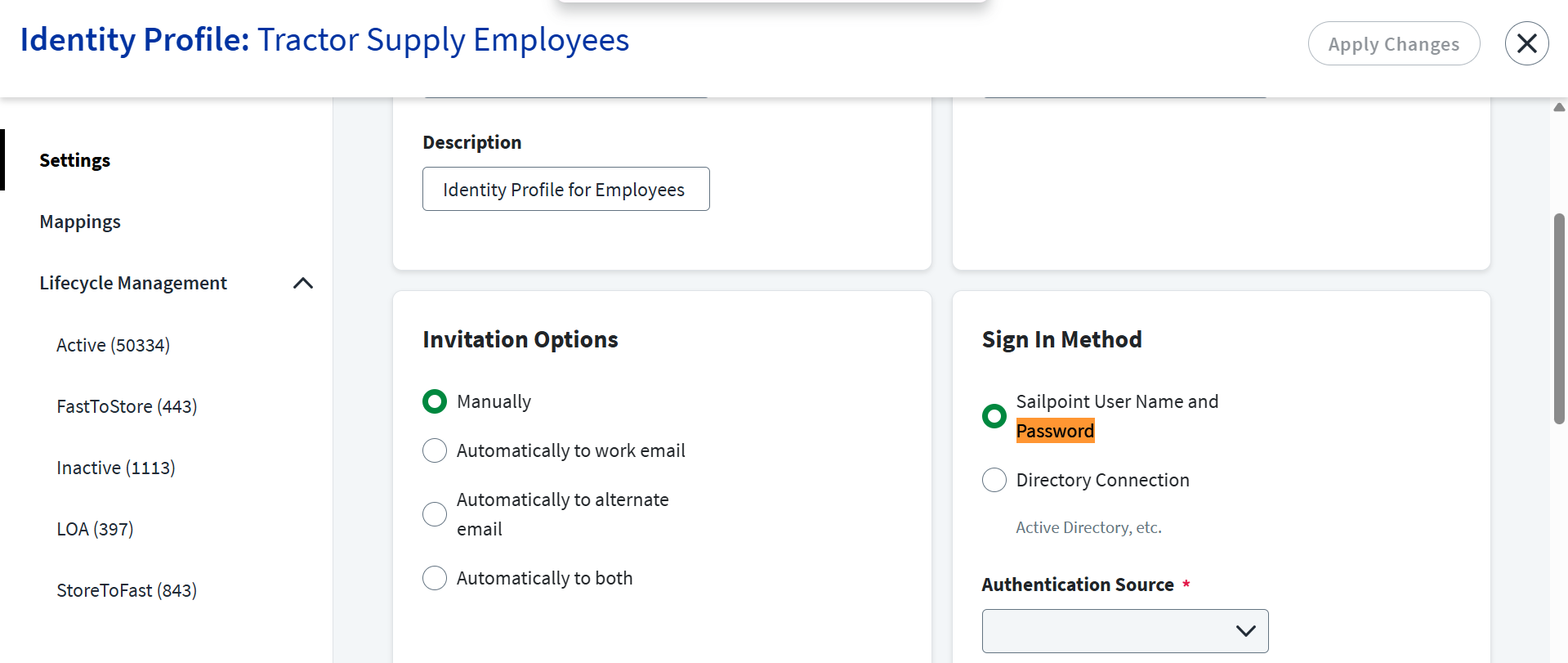
Our use case is for new joiners, and the password reset is done for the first time. This email is being sent to managers in that case as we set the manager’s email in the personal email attribute. I am looking for the configuration where we can change this, if at all possible.
Thanks
Naman.
Hi @namangpt ,
In ISC, when a new joiner’s password is reset for the first time and the verification email is sent to the manager’s email, this behavior is tied to the configuration of the Identity Profile’s Invitation options.
The email sent depends on the value of the email attribute. If the email attribute in Identity Profile is configured with manager’s email address then, the email will be sent to manager.
Please check below link for the onboarding email template. Hope this helps
As @nithyamn13 mentioned, the password reset email goes to the address set in the ‘email attribute’. If that’s the manager’s email, then the email will go to the manager.
I’m not sure there’s another way to handle your use case.
However, you can choose other password reset and unlock options
| Password Reset and User Unlock Methods |
|---|
| By answering a security question |
| By authenticating with an external identity provider |
| By providing a code sent by your Helpdesk |
| By providing a verification code sent to alternate phone |
| By providing a verification code sent to work email |
| By providing a verification code sent to work phone |
| By providing a verification link sent to alternate email |
hi this would be a custom solution outside SailPoint ISC. Unfortunately SailPoint does not allow to send the email notification to user manager. You have to trigger a powershell script during your joiner process to reset the password in AD and trigger email to user manager. So that you will have the details which password you are trying to set and the manager information. When the user joins the org manager shares the password and completes the onboarding process.