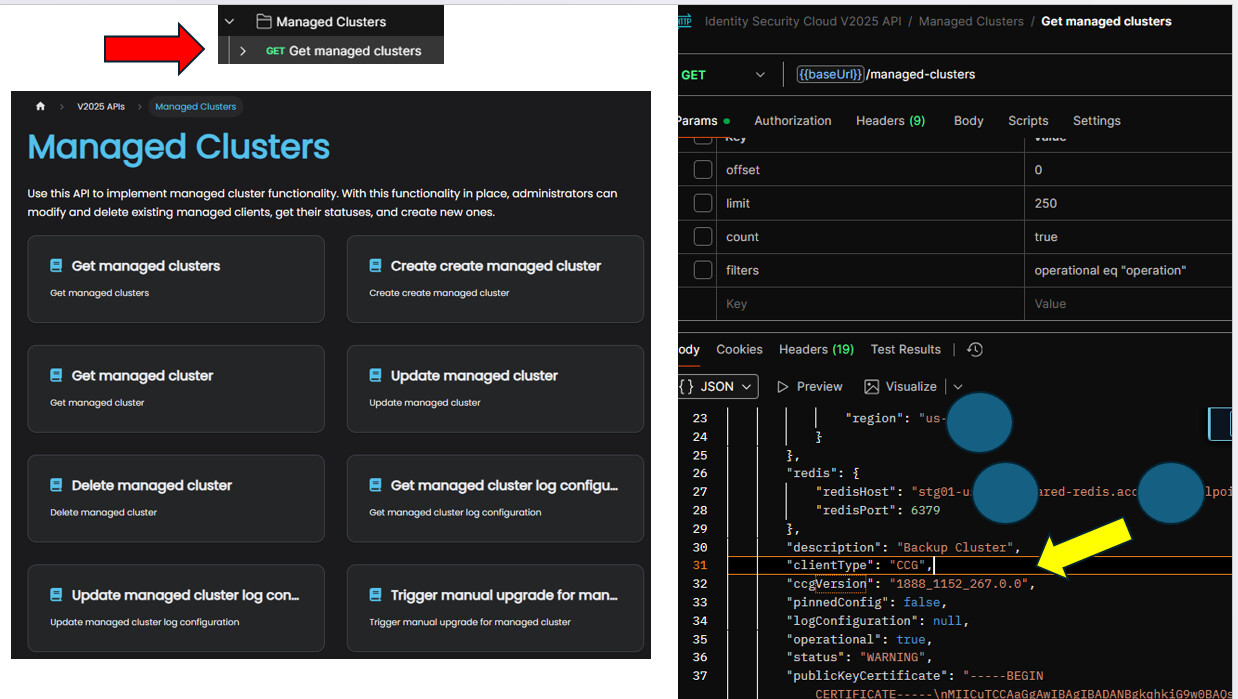
I register my VA and it gets paired with wit my cluster.
Once I start it it connect to ISC and I can see Status being in green connected but VA CCG Version is “Not Available”

then after waiting a long time (over an hour) I still can’t see CCG image being downloaded by my VA.
I
These images look pretty old so I’m guessing they did not get updated too.
Started looking at charon.log and I found some errors but I’m not sure these are relevant
I see a lot of
:"ERROR","type":"charon","message":"Error main loop: NoMethodError: undefined method `include?' for nil: [\"/opt/sailpoint/lib/configuration.rb:499:in `write_fluent_conf'\", \"/opt/sai
lpoint/run.rb:142:in `block in <main>'\", \"<internal:kernel>:187:in `loop'\", \"/opt/sailpoint/run.rb:110:in `<main>'\"]"}
at the begenning I saw
{"@timestamp":"2025-10-07T19:52:49.813","level":"ERROR","type":"gateway","message":"Error refreshing va gateway certificate: Socket::ResolutionError Failed to open TCP connection to devrel-ga-8830.api.cloud.sailpoint.com:443 (getad
drinfo: Name does not resolve) [\"/usr/local/lib/ruby/3.3.0/net/http.rb:1603:in `initialize'\", \"/usr/local/lib/ruby/3.3.0/net/http.rb:1603:in `open'\", \"/usr/local/lib/ruby/3.3.0/net/http.rb:1603:in `block in connect'\", \"/usr/
local/lib/ruby/3.3.0/timeout.rb:186:in `block in timeout'\", \"/usr/local/lib/ruby/3.3.0/timeout.rb:193:in `timeout'\", \"/usr/local/lib/ruby/3.3.0/net/http.rb:1601:in `connect'\", \"/usr/local/lib/ruby/3.3.0/net/http.rb:1580:in `d
o_start'\", \"/usr/local/lib/ruby/3.3.0/net/http.rb:1569:in `start'\", \"/usr/local/bundle/gems/rest-client-2.1.0/lib/restclient/request.rb:727:in `transmit'\", \"/usr/local/bundle/gems/rest-client-2.1.0/lib/restclient/request.rb:1
63:in `execute'\", \"/usr/local/bundle/gems/rest-client-2.1.0/lib/restclient/request.rb:63:in `execute'\", \"/opt/sailpoint/lib/v2/api.rb:145:in `execute_request'\", \"/opt/sailpoint/lib/v2/api.rb:77:in `refresh_token'\", \"/opt/sa
ilpoint/lib/v2/api.rb:23:in `styx_call'\", \"/opt/sailpoint/lib/v2/gateway.rb:143:in `post_csr'\", \"/opt/sailpoint/lib/v2/gateway.rb:34:in `refresh_certificate'\", \"/opt/sailpoint/lib/v2/s3.rb:80:in `va_cli_env'\", \"/opt/sailpoi
nt/lib/configuration.rb:327:in `check_proxy'\", \"/opt/sailpoint/run.rb:119:in `block in <main>'\", \"<internal:kernel>:187:in `loop'\", \"/opt/sailpoint/run.rb:110:in `<main>'\"]"}
{"@timestamp":"2025-10-07T19:52:53.383","level":"ERROR","type":"configuration","message":"Networking check results - Could not reach devrel-ga-8830.cloud.sailpoint.com: Socket::ResolutionError Failed to open TCP connection to devre
l-ga-8830.cloud.sailpoint.com:443 (getaddrinfo: Name does not resolve)\n[\"/usr/local/lib/ruby/3.3.0/net/http.rb:1603:in `initialize'\", \"/usr/local/lib/ruby/3.3.0/net/http.rb:1603:in `open'\", \"/usr/local/lib/ruby/3.3.0/net/http
.rb:1603:in `block in connect'\", \"/usr/local/lib/ruby/3.3.0/timeout.rb:186:in `block in timeout'\", \"/usr/local/lib/ruby/3.3.0/timeout.rb:193:in `timeout'\", \"/usr/local/lib/ruby/3.3.0/net/http.rb:1601:in `connect'\", \"/usr/lo
cal/lib/ruby/3.3.0/net/http.rb:1580:in `do_start'\", \"/usr/local/lib/ruby/3.3.0/net/http.rb:1569:in `start'\", \"/usr/local/lib/ruby/3.3.0/net/http.rb:2297:in `request'\", \"/usr/local/lib/ruby/3.3.0/net/http.rb:1917:in `get'\", \
"/opt/sailpoint/lib/configuration.rb:662:in `block in check_networking'\", \"/opt/sailpoint/lib/configuration.rb:652:in `each'\", \"/opt/sailpoint/lib/configuration.rb:652:in `check_networking'\", \"/opt/sailpoint/run.rb:120:in `bl
ock in <main>'\", \"<internal:kernel>:187:in `loop'\", \"/opt/sailpoint/run.rb:110:in `<main>'\"]"}
{"@timestamp":"2025-10-07T19:52:55.903","level":"ERROR","type":"configuration","message":"Networking check results - Could not reach edge-se01-useast1-external.identitysoon.com: Socket::ResolutionError Failed to open TCP connection
 to edge-se01-useast1-external.identitysoon.com:443 (getaddrinfo: Name has no usable address)\n[\"/usr/local/lib/ruby/3.3.0/net/http.rb:1603:in `initialize'\", \"/usr/local/lib/ruby/3.3.0/net/http.rb:1603:in `open'\", \"/usr/local/
lib/ruby/3.3.0/net/http.rb:1603:in `block in connect'\", \"/usr/local/lib/ruby/3.3.0/timeout.rb:186:in `block in timeout'\", \"/usr/local/lib/ruby/3.3.0/timeout.rb:193:in `timeout'\", \"/usr/local/lib/ruby/3.3.0/net/http.rb:1601:in
 `connect'\", \"/usr/local/lib/ruby/3.3.0/net/http.rb:1580:in `do_start'\", \"/usr/local/lib/ruby/3.3.0/net/http.rb:1569:in `start'\", \"/usr/local/lib/ruby/3.3.0/net/http.rb:2297:in `request'\", \"/usr/local/lib/ruby/3.3.0/net/htt
p.rb:1917:in `get'\", \"/opt/sailpoint/lib/configuration.rb:662:in `block in check_networking'\", \"/opt/sailpoint/lib/configuration.rb:652:in `each'\", \"/opt/sailpoint/lib/configuration.rb:652:in `check_networking'\", \"/opt/sail
point/run.rb:120:in `block in <main>'\", \"<internal:kernel>:187:in `loop'\", \"/opt/sailpoint/run.rb:110:in `<main>'\"]"}
{"@timestamp":"2025-10-07T19:52:58.426","level":"ERROR","type":"configuration","message":"Networking check results - Could not reach devrel-ga-8830.api.cloud.sailpoint.com: Socket::ResolutionError Failed to open TCP connection to d
evrel-ga-8830.api.cloud.sailpoint.com:443 (getaddrinfo: Name does not resolve)\n[\"/usr/local/lib/ruby/3.3.0/net/http.rb:1603:in `initialize'\", \"/usr/local/lib/ruby/3.3.0/net/http.rb:1603:in `open'\", \"/usr/local/lib/ruby/3.3.0/
net/http.rb:1603:in `block in connect'\", \"/usr/local/lib/ruby/3.3.0/timeout.rb:186:in `block in timeout'\", \"/usr/local/lib/ruby/3.3.0/timeout.rb:193:in `timeout'\", \"/usr/local/lib/ruby/3.3.0/net/http.rb:1601:in `connect'\", \
"/usr/local/lib/ruby/3.3.0/net/http.rb:1580:in `do_start'\", \"/usr/local/lib/ruby/3.3.0/net/http.rb:1569:in `start'\", \"/usr/local/lib/ruby/3.3.0/net/http.rb:2297:in `request'\", \"/usr/local/lib/ruby/3.3.0/net/http.rb:1917:in `g
et'\", \"/opt/sailpoint/lib/configuration.rb:662:in `block in check_networking'\", \"/opt/sailpoint/lib/configuration.rb:652:in `each'\", \"/opt/sailpoint/lib/configuration.rb:652:in `check_networking'\", \"/opt/sailpoint/run.rb:12
0:in `block in <main>'\", \"<internal:kernel>:187:in `loop'\", \"/opt/sailpoint/run.rb:110:in `<main>'\"]"}
and nothing else is happening I’m stuck.
I tried from scratch a few times already and I always reach this state.
Could it be network issue?
How do I diagnose?
 but thanks.