Show more items on the Manage User Access Page

Which IIQ version are you inquiring about?

8.3

Please share any images or screenshots, if relevant.

Please share any other relevant files that may be required (for example, logs).

I found the XHTML file at the following path: <Tomcat 9.0>\webapps\identityiq\ui\accessRequest. In this file, I updated the attribute items-per-page="12" to "24", but the changes do not seem to be reflected in the application.

selectUser.xhtml (9.5 KB)

Share all details about your problem, including any error messages you may have received.

On the Manage User Access page under Quicklinks, we currently have the ability to select users and either Add Access or Remove Access. However, the page displays only 12 users or entitlements per page.

We would like to kindly request an enhancement to increase the number of visible users or entitlements per page.

Is it possible to increase the number of visible users or entitlements on the Manage User Access page? If so, would this change have any potential performance implications? I would appreciate your guidance on the best way to proceed.

Thanks, Raju

2 Likes

It’s working for us after changing the value of “items-per-page” to 30.

Make sure to delete the temp and work folders, and you may also need to restart the application server for the changes to take effect.

Keep in mind that increasing this value can impact page load times, depending on how many items are displayed per page. You can fine-tune this setting based on your application’s performance needs.

We’ve set it to 30 and haven’t observed any negative impact on performance.

2 Likes

Hello @tsandeepsTmob where can i find this temp and work folders to delete?

Hi @santhirajumunganda

location:

Hi @pattabhi Should I delete folders or the content of the folders?

Yes, the temp and work folders in Tomcat can generally be deleted safely, but with an important caveat:

You MUST stop the Tomcat server before deleting them.

note:
Applications restart should ideally clean up their own temporary files, but sometimes they don’t, or a crash can leave files behind.

1 Like

After delete and restart server , let us know whether worked or not. For me its worked.

Yes, definitely. I will mark it as a solution if it works for me.

Hi @tsandeepsTmob @pattabhi the changes are not reflected even after deleting the temp and work folders and restarting the server. Additionally, I’m now encountering a new error on the server.
error.txt (6.8 KB)

Could you please check and let me know if I’m missing anything?

Hi @santhirajumunganda

Try to restart the server again “Run as administrator” make sure temp and work folder created post restart.

it seems the temp folder not created. if temp folder creates then your problem will be solved.

Hi @santhirajumunganda

The correct file ../ui/accessRequest/selectUser.xhtml

<!-- PAGINATION -->
        <div class="col-sm-4">
         <div class="text-center col-xs-12" ng-if="identitiesCtrl.getPageState().pagingData.hasMultiplePages()" id="identitiesPager">
          <ul sp-uib-pagination=""
              class="pagination-sm"
              total-items="identitiesCtrl.getPageState().pagingData.getTotal()"
              items-per-page="24"
              ng-model="identitiesCtrl.getPageState().pagingData.currentPage"
              ng-change="identitiesCtrl.fetchItems()"
              max-size="10"
              rotate="true">
          </ul>
         </div>
        </div>
        <!-- /PAGINATION -->

max-size value tested(from 4 to 10), and it is getting updated as shown below, but items-per-page not getting updated.

Okay, is there any other way to modify the number of items displayed per page?

1 Like

Hi @tsandeepsTmob

You stated earlier that it is working for you. Would you be able to share a screenshot here?

@santhirajumunganda
The last option is reaching out to the SailPoint Support team because, even though we are updating the correct file, it’s not getting updated. It looks like we are missing some global setting. Alternatively, it could be a product limitation, so we need to get confirmation from the experts before a final conclusion.
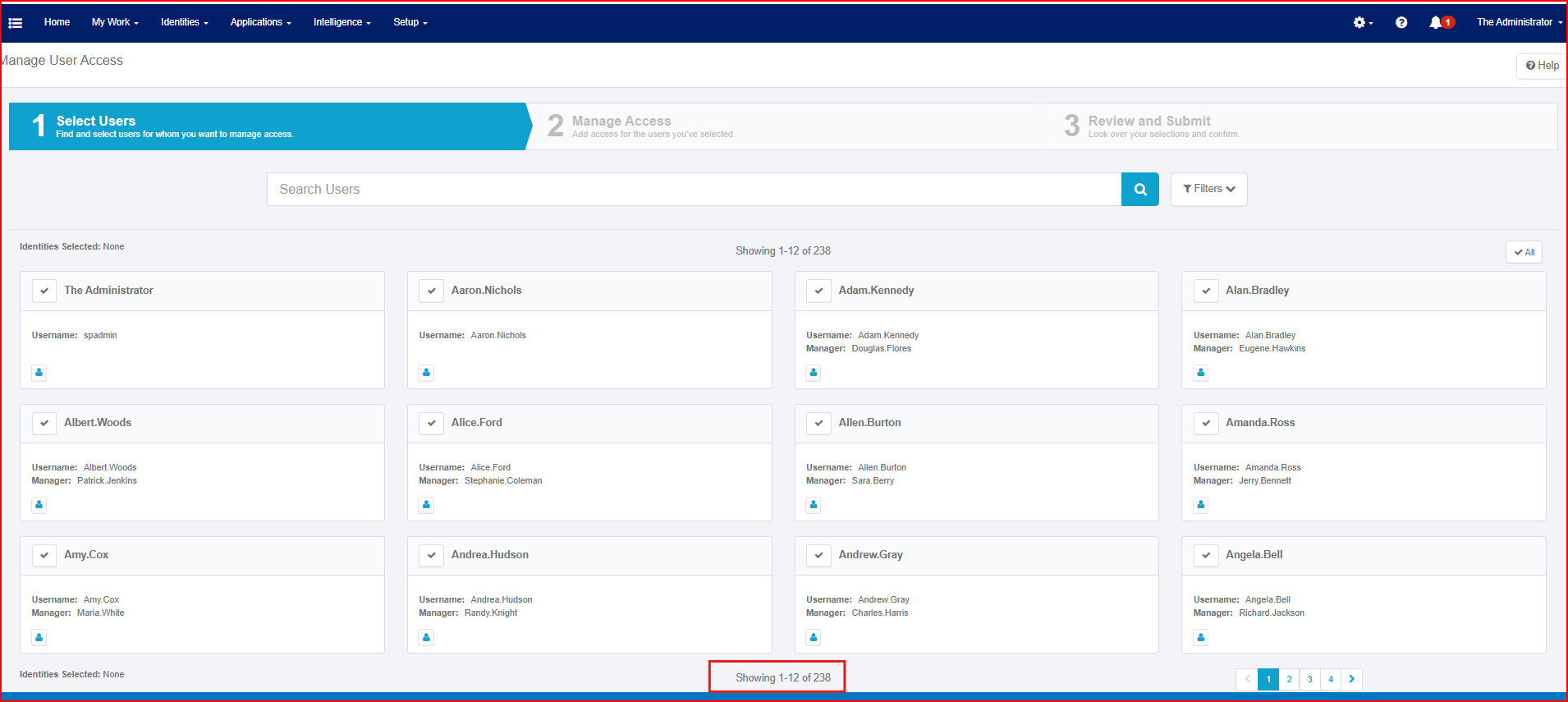
Does anyone have any suggestions? @everyone

This topic was automatically closed 60 days after the last reply. New replies are no longer allowed.