I am looking for advice on synchronizing changes made to an Identity or Account attribute across multiple sources. Specifically, I have a few questions:
How can we synchronize changes to an Identity or Account attribute with multiple sources?
If the solution involves using a Workflow, what steps should be taken to ensure the attribute change is accurately reflected on the source?
How can we configure Standard Connectors to effectively propagate this information?
Additionally, I need guidance on how to manage the propagation of actions after an Access Request has been approved for application X, particularly to ensure that the request is communicated to several other applications, such as W, Y, Z, and so on.
What would be the best approach to propagate the following actions?
Creating an account
Adding entitlements to the account
Removing entitlements from the account
Locking, unlocking, disabling, or enabling the account
Any insights or solutions you could provide would be greatly appreciated!
How can we synchronize changes to an Identity or Account attribute with multiple sources? In Source Create Account Profile if you use Identity attribute to map account attribute you can use OOTB Attribute Sync
If the solution involves using a Workflow, what steps should be taken to ensure the attribute change is accurately reflected on the source?Attribute Sync can be able to sync account attribute if there is change in Authoritative source Identity attribute
How can we configure Standard Connectors to effectively propagate this information? Most of OOTB connectors have this feature
I need guidance on how to manage the propagation of actions after an Access Request has been approved for application X, particularly to ensure that the request is communicated to several other applications, such as W, Y, Z, and so on. If this Access Request is approved for Source level then it should only have entitlements for that source X, it can’t have other source for (Access Profile & Entitlement), Then there won’t be any link to other sources as W,Y,Z and so on. This is possible if we have Role in place where we can add multiple entitlements from multiple sources here approval won’t belong to source level. In this case if user A request role ABC which has Source X W Y Z entitlement, if user doesn’t have accounts in source X Y W Z we need configure create account profile for these sources before access got approved, Then ISC will create account first and provision these access to those sources. If user A has accounts in these sources ISC will provision entitlements accordingly
Thanks for your responses, I have other questions in mind to solve my doubts:
If a change comes from an Authoritative Source for an attribute that has the Synch activated, that update will be reflected to all the non authoritative source that have that attribute synchronized?
There is a way to write to the authoritative source? Because some fields are taken from the authoritative source and others are modified on Sailpoint ISC following some logic, it is possible to write back this modification from Sailpoint ISc to the authoritative Source?
If a change comes from an Authoritative Source for an attribute that has the Synch activated, that update will be reflected to all the non authoritative source that have that attribute synchronized? Yes, its possible for all direct OOTB connectors where you used Identity attribute value to map Account attribute. For example : consider your Auth Source as Workday and non-auth source as Entra ID. If identity mob number got changed in Workday ISC will get that value and try to sync it to EntraID if attribute Sync is enabled
There is a way to write to the authoritative source? Because some fields are taken from the authoritative source and others are modified on Sailpoint ISC following some logic, it is possible to write back this modification from Sailpoint ISc to the authoritative Source?Yes its possible in ISC email ID creation in Entra ID and write it back to workday - For example : Entra ID will create email ID based on your requirement then you can create transform to get this value in email attribute, In workday source create account profile you map identity attribute email to account attribute and enable attribute sync. This new generated email will be return back to workday Auth source
This is one of the business use case. I hope it clears your doubt.
Thank you for your responses. I have another question: Is the behavior of keeping things synchronized limited by the features of the connector? For example, with the HCM connector, the attribute synchronization is read-only, so I cannot write to the source.
Thank you for your responses, but I believe you shared a guide that is not specific to the Oracle HCM connector, as I cannot find anything similar to that rule.
Hello Vasanth,
thank you for your valuable feedbacks so far!
I am a co-worker of Salvatore and I am sharing the HCM Connector information you requested.
This is the connector that we are using and configuring: Integrating SailPoint with Oracle HCM Cloud SaaS.
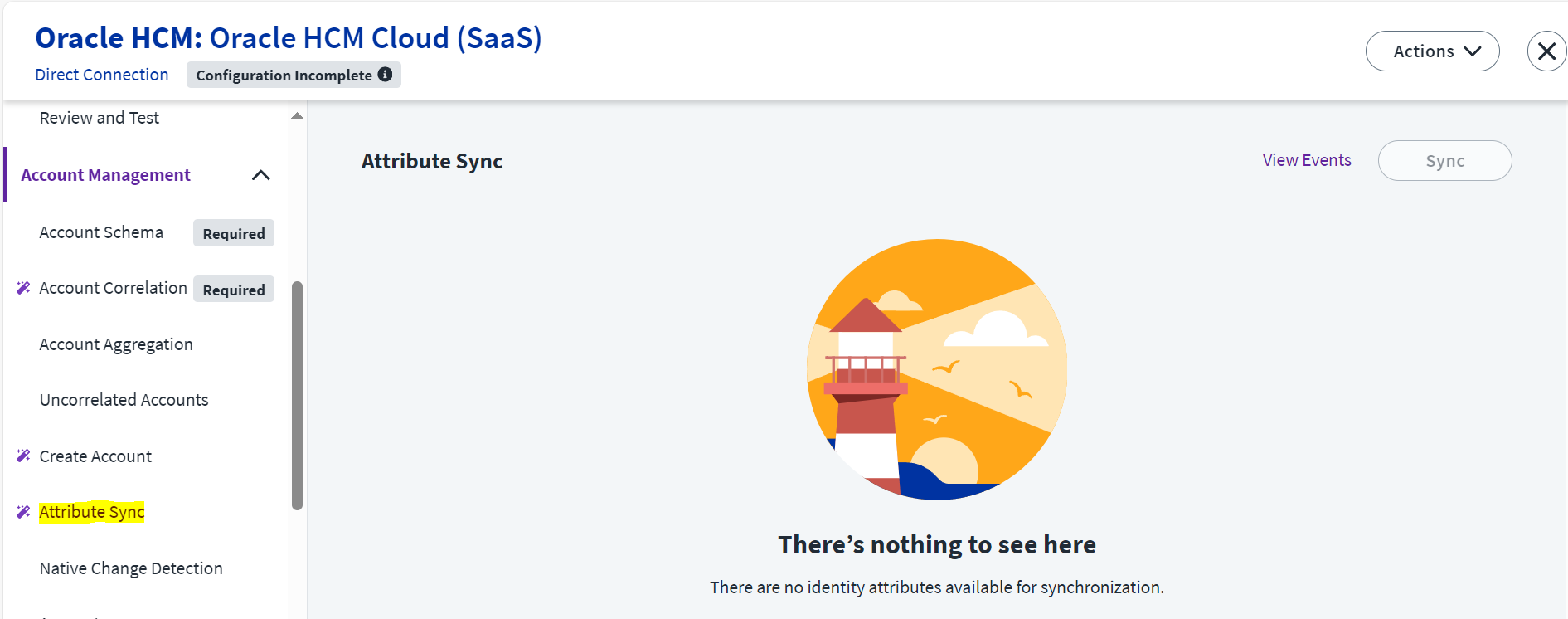
Here we cannot find the Attribute Sync, however, we noticed in the Supported Features that the “Update Account” allows for the attributes USER_NAME and WORK_EMAIL.
Does this mean that we might be able to generate these attributes in ISC (or read them from other sources, i.e AD for the username or Google Workspace for the email) and then these are automatically synched back to HCM?
I have found Attribute Sync under Account Management for this connector.
You may try to map these two attributes USER_NAME and WORK_EMAIL in Create account profile in Identity Attribute to Account Attribute.
Yes, we already know that we have this possibility of be syncronized with that attributes with the HCM Oracle connector, but our doubt is if that syncronization reflects changes made on Sailpoint ISC to the source HCM Oracle. Because from the documentation it seems that it is not possibile
Hello @Vasanth,
my knowledge came from a ticket to SailPoint Support team saying that ISC is unable to write back to HCM.
However, just yesterday we accomplished to configure the Attribute Sync and update the attributes on ISC. They have been automatically updated back on HCM and confirmed this via APIs.