i have changed my phone and now cant see MFA code for login into sailpoint tenant as admin what shud i do to get it thanks
Did you try Reset MFA for your identity ?
Hello @Apoorv0802
You should need the action form another administrator identity to reset your MFA
actually i changed my phone bought a new one but now cant seee the mfa in authectocator app for sailpoint
Ask one of your team members to do reset MFA for you.
Post that, access SailPoint url, it will show you QR code scanner to setup in your authenticator.
can u pls tell me what’s the steps for it?
Hi @Apoorv0802,
Please check the give link it might help you to reset the MFA.
Managing Multifactor Authentication - SailPoint Identity Security Cloud User Help
And Also check this link as well.
Thank you!
Hi @Apoorv0802 ,
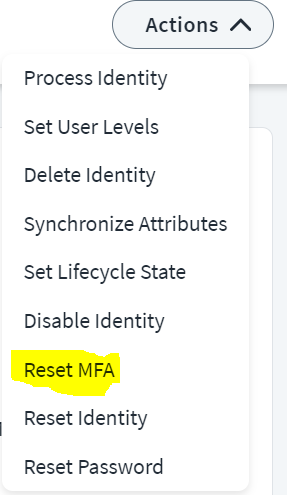
Please ask one of your admin to navigate to your identity from “identities” page in your tenant. under actions there is an option to “Reset MFA” as shown below.
Thanks