How to Know login authentication source

Which IIQ version are you inquiring about?

8.4

Share all details about your problem, including any error messages you may have received.

Is there a way from a Rule/Workflow to know if the logged in user has logged in via native IIQ credentials/ pass through authentication or via SSO?

@aseelvn07

Please check following options

you can see which authentication mechanisms are enabled

This tells you what can be used, but not what was used for a specific login.

Check iiq.log (MOST IMPORTANT)

For actual login events, logs are the single source of truth.

Authentication

Login
SSO
SAML
LDAP

Enable temporarily:

Uncomment to enable below logging related logging

#logger.authFilter.name=sailpoint.web.PageAuthenticationFilter
#logger.authFilter.level=debug
#logger.authService.name=sailpoint.service.PageAuthenticationService
#logger.authService.level=debug
#logger.ssoValidator.name=sailpoint.web.sso.DefaultSSOValidator
#logger.ssoValidator.level=debug
#logger.ssoDefault.name=sailpoint.web.sso.DefaultSSOAuthenticator
#logger.ssoDefault.level=debug
#logger.ssoSAML.name=sailpoint.web.sso.SAMLSSOAuthenticator
#logger.ssoSAML.level=debug

@aseelvn07

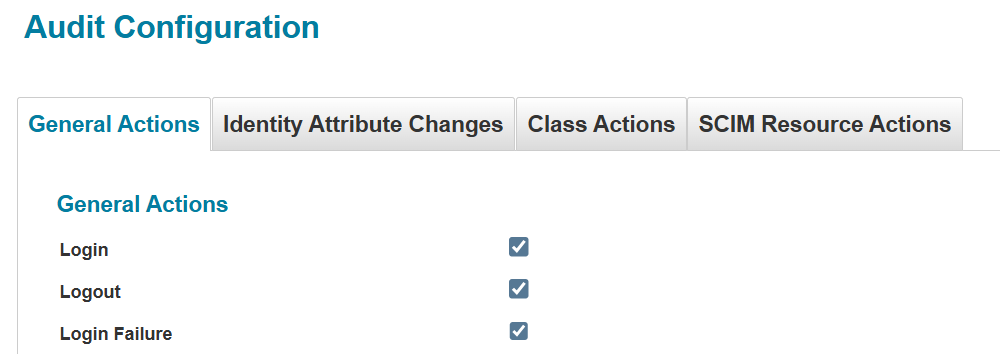
If you have Login enabled for audits as below, then you can understand the user login type from Audit logs of Advanced Analytics.

Navigate to Advanced Analytics → Audit →

Choose action as login and select the attributes to view Source and Value1.

Source highlights the identity who logged in
Value1 highlights the type of login

These are the values to look out for w.r.t the authentication type:
Value1 = IdentityIQ → Indicates user logged in by IIQ credentials

Value1 = SAMLSSOAuthenticator → Indicates user logged in by Pass through authentication

Similarly Value1 will contain the appropriate value for Passthrough too.

Hope this helps.

Hello @aseelvn07, in order to see the detailed information you have to go Advanced Analytics. Here you would be able to preview logs and read if the user has used SSO, PTA or IIQ.

Good luck.

@eberteo @uday_kilambi

Thanks for your response. This is good information to know that the required info is available in Adv Analytics.

But what I actually would require is to know if this info is available from a Rule/Workflow context.

Requirement :
We have both SSO logins and Pass-Through Authentication enabled. At SSO login, we have enforced MFA via Azure, but users can still bypass it if they simply use pass-through auth via AD.

So what I’m trying to do is setup native IdentityIQ MFA (via RSA or Duo), and the MFA workflow should be customized to enforce MFA for only user login via PTA (because we don’t need MFA again if the login is via SSO).

This topic was automatically closed 60 days after the last reply. New replies are no longer allowed.