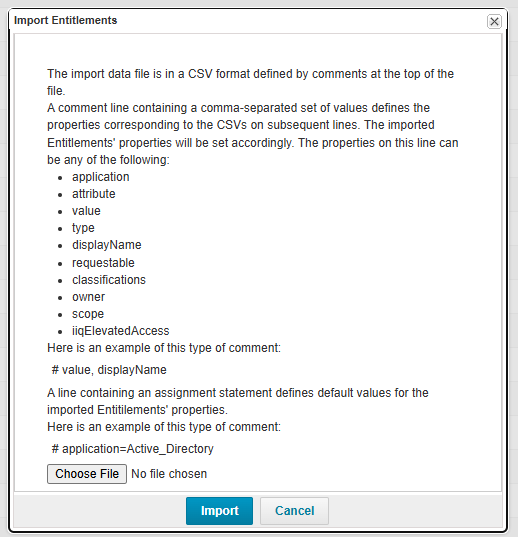
I know that the import feature in the “Entitlement Catalog” allows users to bulk create or update entitlements by importing a CSV file. I would like to know if it is possible to prevent an entitlement from being updated if it already exists.
Yes, it is possible to prevent an entitlement from being updated if it already exists by leveraging a Before Provisioning Rule. Here’s how you can approach it:
Update your Before Provisioning Rule to intercept the Provisioning Plan before it is executed.
Analyze the Provisioning Plan to determine whether it is attempting to create a new entitlement group.
Extract the group name from the Provisioning Plan using appropriate rule logic.
Verify if the Group Already Exists searching between the ManagedAttributes objects.
If the group already exists, modify the Provisioning Plan to remove the associated operation, effectively preventing the update.
Let me know if this works for you or if you need further assistance!
I think that’s a good idea. But is it possible to alert the user if an entitlement already exists? It would be best to show the user the existing entitlement.
When you try to import entitlements, the backend triggers the ‘Entitlement Update’ workflow. To handle your requirement, you can add a step after the start step, implement logic to check the incoming plan, and transition to the end step if the operation is an entitlement update.
Additionally, I recommend making a copy of the ‘Entitlement Update’ workflow and inserting your custom logic there. Then, navigate to Global Settings → IdentityIQ Configuration → Miscellaneous, and update the ‘Entitlement Update’ with your customized workflow.
If I’m not mistaken, this will print the plan into a log file in the system, right? Is it possible to display a pop-up or error message in the UI instead?
Hi @Bernardc Yes this is to print the plan. Your code should then analyze the plan. If the plan contains an “Entitlement Update” operation, the process should move to the end step. If, instead, the plan contains an “Entitlement Create” operation, the process should proceed to the next step.
In this way, you can avoid Entitlement update for existing entitlements. But you can not achieve a pop up option.