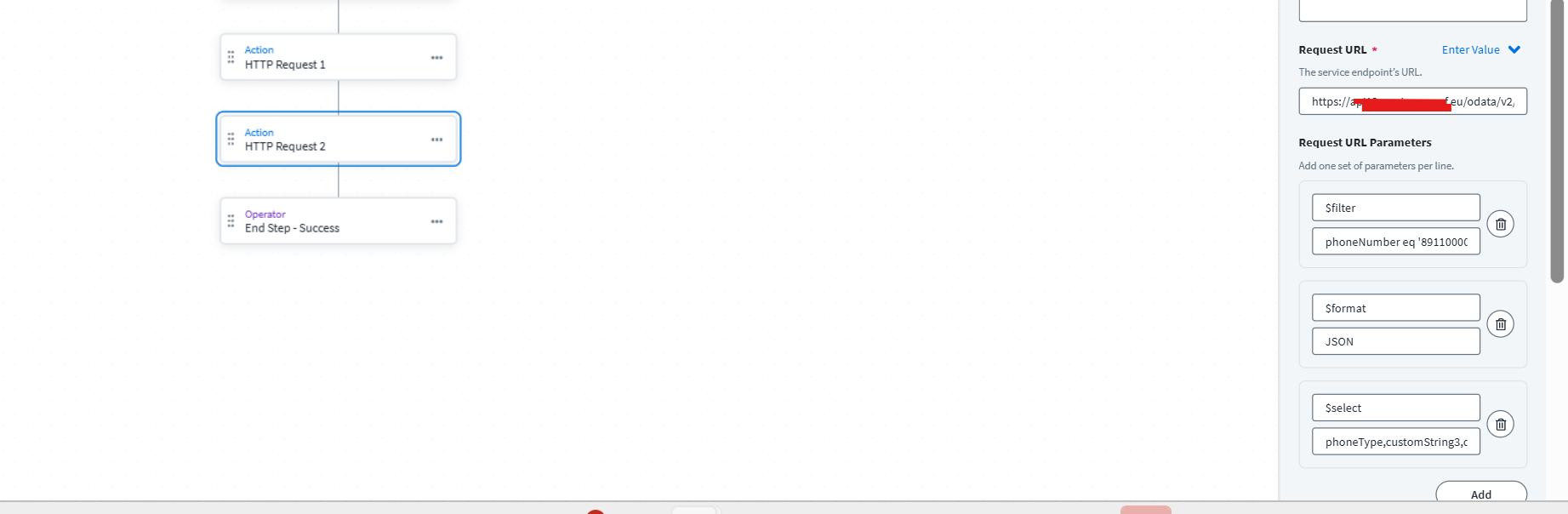
I was trying to use one of SuccessFactors API to read and update some information but encountered below error 400 unauthorized , does anybody know how to use access token within authorization headers for our http request like if we need to use the access token that it has generated in previous API call through one http request and how we need to pass that access token in subsequent API calls ? Has anybody encountered such issue?
use json path expresssion $.access_token to extract access token and in the subsequent flow use
Authorization: "Bearer " + $.access_token (your stored token variable)
Hey @HussainshaSyed001 you mean I need to pass Authorization and its value to be Bearer " + $.access_token I didnt understood.
previous api is fetching the access token from previous request we need to use the access token for this request , tell me what should I pass within Authorization header currently I am passing Bearer {{$.hTTPRequest1.access_token}} , Suggest what should be the value to mitigate this authentication issue.
{
“access_token”: “************”
}
above access token is calculated by previous API as response thats why I keep this expression as in this form.
let me know your findings on this accordingly I will do the changes.
what my API does it is just trying to get the phonenumber from SF to SailPoint with some select filter added and from PostMan I can see the correct response but seems to be issue for accessToken.
I see you mentioned that you are getting token as a JSON Object right? Its not a array of JSON Object when you call the API from postman.
Please validate that once, if its a JSON Array object being returned or it is a JSON Object.
Once validated that, make another check using defineVariable.
Use define variable and store the access_token in that variable and see if it is getting evaluated. If yes, then probably some other issue.
Also, if the issue still persists, can you share the exact JSON that you get while calling authentication API and make sure you point out if Bearer is returned in that or not?
Along with the workflow steps.
Hi, There is no use case of update here I need to add but as per screenshot let me break it down, first Http request is generating the SAML assertion and the same assertion we are consuming with Http request1 to generate the access token we are facing the challenge with Http request 2 only till request 1 flow is right and I can also validate the access token into response its just we are not able to use the response for our HTTP request 2 , I hope you are now on same page.
I am getting error on Http Request 2 while fetching the phone numbers( GET API) Yes I am able to generate SAML assertion from Http request and also the token from HTtpRequest 1 main issue with Request 2.