SurjanK
December 12, 2025, 9:20pm
1
IIQ Version: 8.5
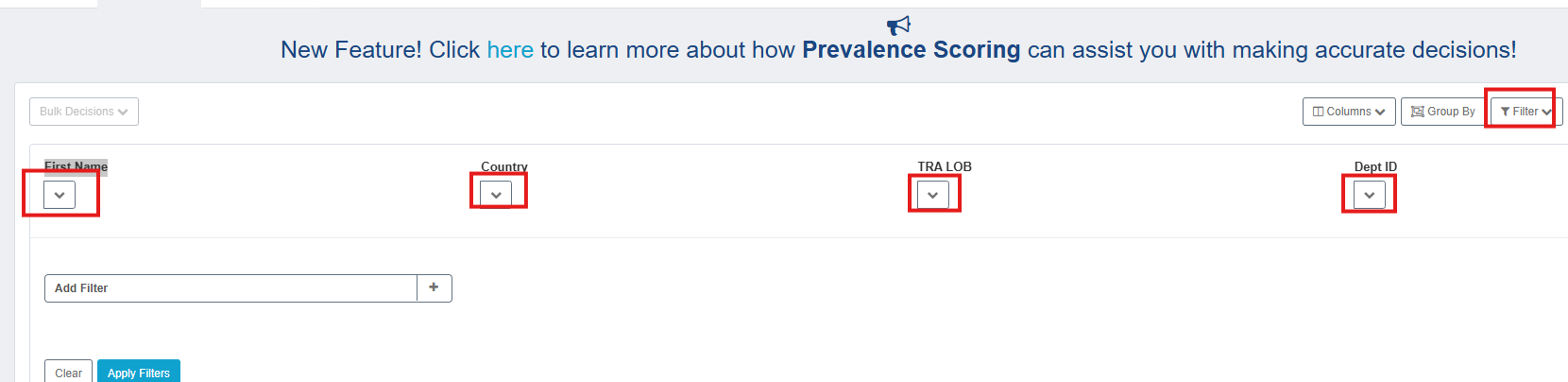
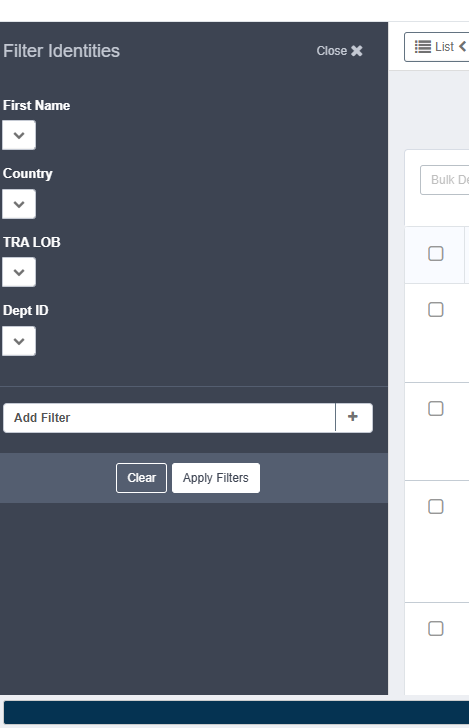
I am not able to see the dropdown for filter in certification. what could be the issue. I compared Object config with the working environment. and also compared the UI config entry “uiCertificationItemWorksheetColumns” but no luck. What drives this dropdown?
if it’s searchable then it should come. try Reset Configuration Caches and refresh the UI. also is it working at other search with FirstName ?
SurjanK
December 12, 2025, 9:47pm
3
Yes it is searchable and it’s not working from the List view as well.
SurjanK
December 12, 2025, 10:01pm
4
Tried resetting the cache, still not showing. Isn’t this OOTB funcationality?
SurjanK
December 12, 2025, 10:04pm
5
We have something similar issue in Rapid setup as well.
It looks like you recently upgraded your env. is this happening in all env ?
SurjanK
December 12, 2025, 10:41pm
8
Yes we are doing POC for 8.5 upgrade from 8.3. Looks like there’s some issue regarding sailpointclassicbundle js file
it’s big jump. try to first upgrade to 8.4p1 then make a test. if all looks good then apply 8.5. i haven’t heard such issue yet. only one user reported After 8.5 upgrade checkSession problem - IdentityIQ (IIQ) / IIQ Discussion and Questions - SailPoint Developer Community
let me try at my end this weekend. also, sailpointclassicbundle in your case is OOB or custom ?
SurjanK
December 15, 2025, 7:22pm
10
I need to confirm with my team if there has been any customization to this file. Most probably there are some changes made
SurjanK
December 15, 2025, 9:00pm
11
we deployed the vanilla version of this js but still seeing the same issue
pattabhi
December 16, 2025, 1:37am
12
"My Access Review" page not loading - #15 by pattabhi
Check this once by re-placing 8.4 xhtml as mentioned in this article.
after replacing above file follow below steps to clear the cache.
stop the application server.
delete the content inside work and temp folder.
start the application server.
SurjanK
December 17, 2025, 5:33pm
13
It’s not only the certification we are seeing this issue. It’s for the Rapid Setup and Preferences where we can forward workitem as well.